> ## Documentation Index
> Fetch the complete documentation index at: https://partner-integrations.voyado.com/llms.txt
> Use this file to discover all available pages before exploring further.
# Benefits flow
The Vipps Benefits (Fordeler) app allows customers to:
* Become a member of a loyalty club directly in the app
* See available promotions and vouchers for all their loyalty clubs
* Create their account directly in the app
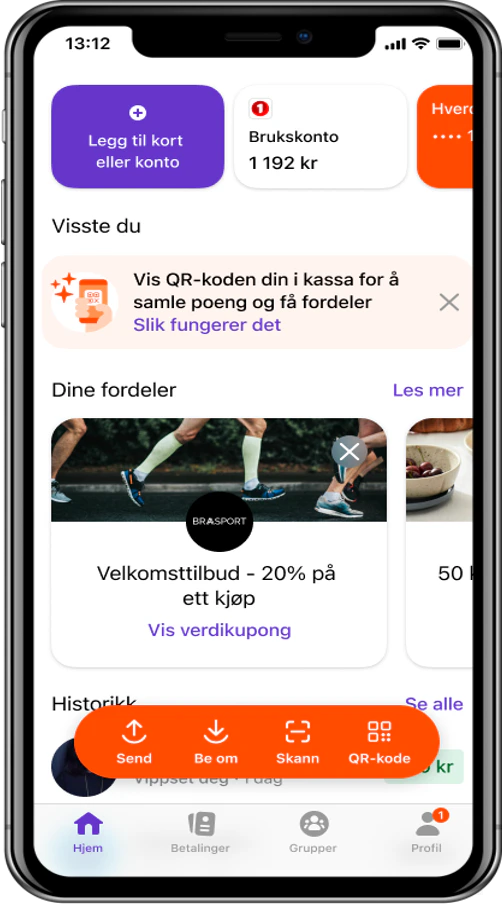
## Adding a new loyalty club
Here's how a customer adds a new loyalty club in the app:
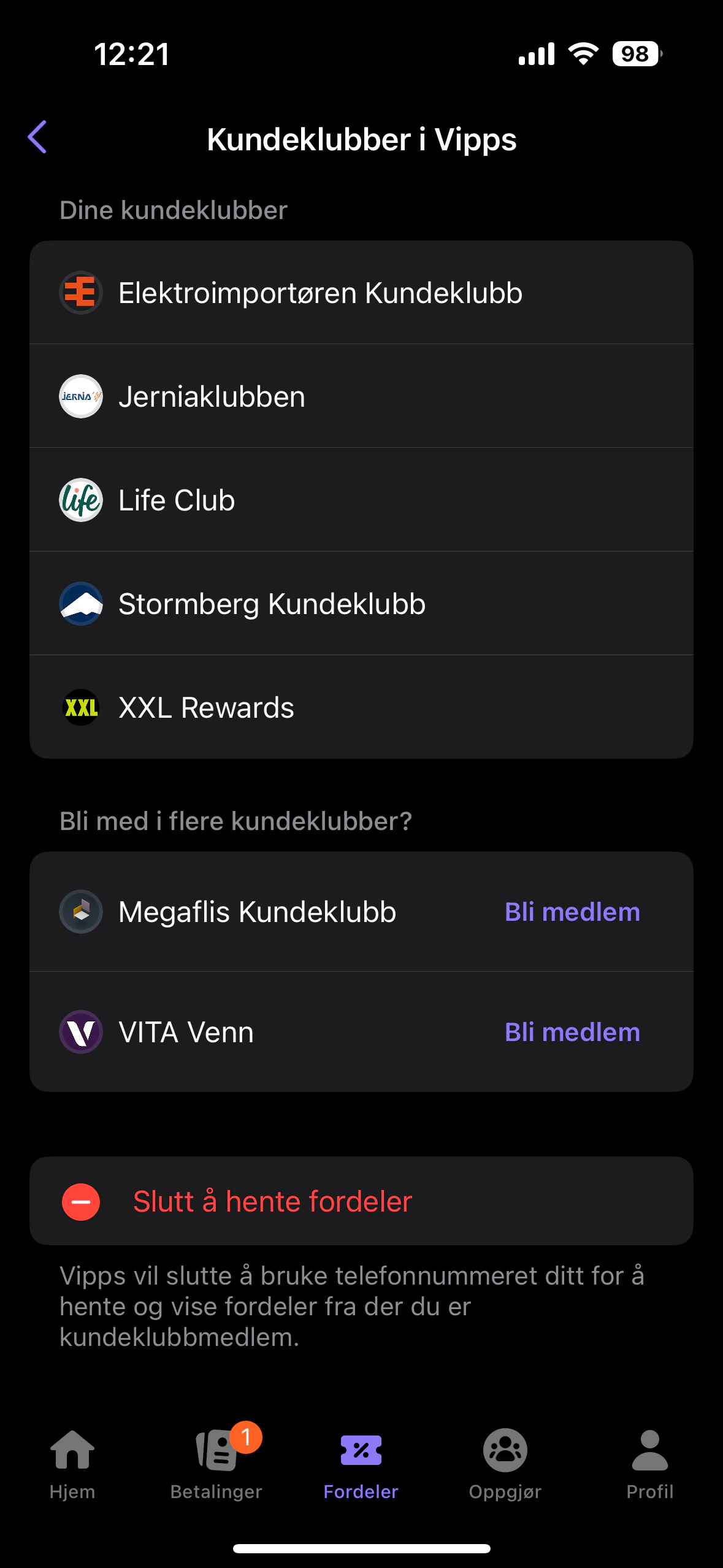
 This is how the customer's existing loyalty clubs are presented:
 ## If contact already exists
If the contact already exists in Engage, loyalty data is fetched from Engage to the Vipps app like this:
## If contact already exists
If the contact already exists in Engage, loyalty data is fetched from Engage to the Vipps app like this:
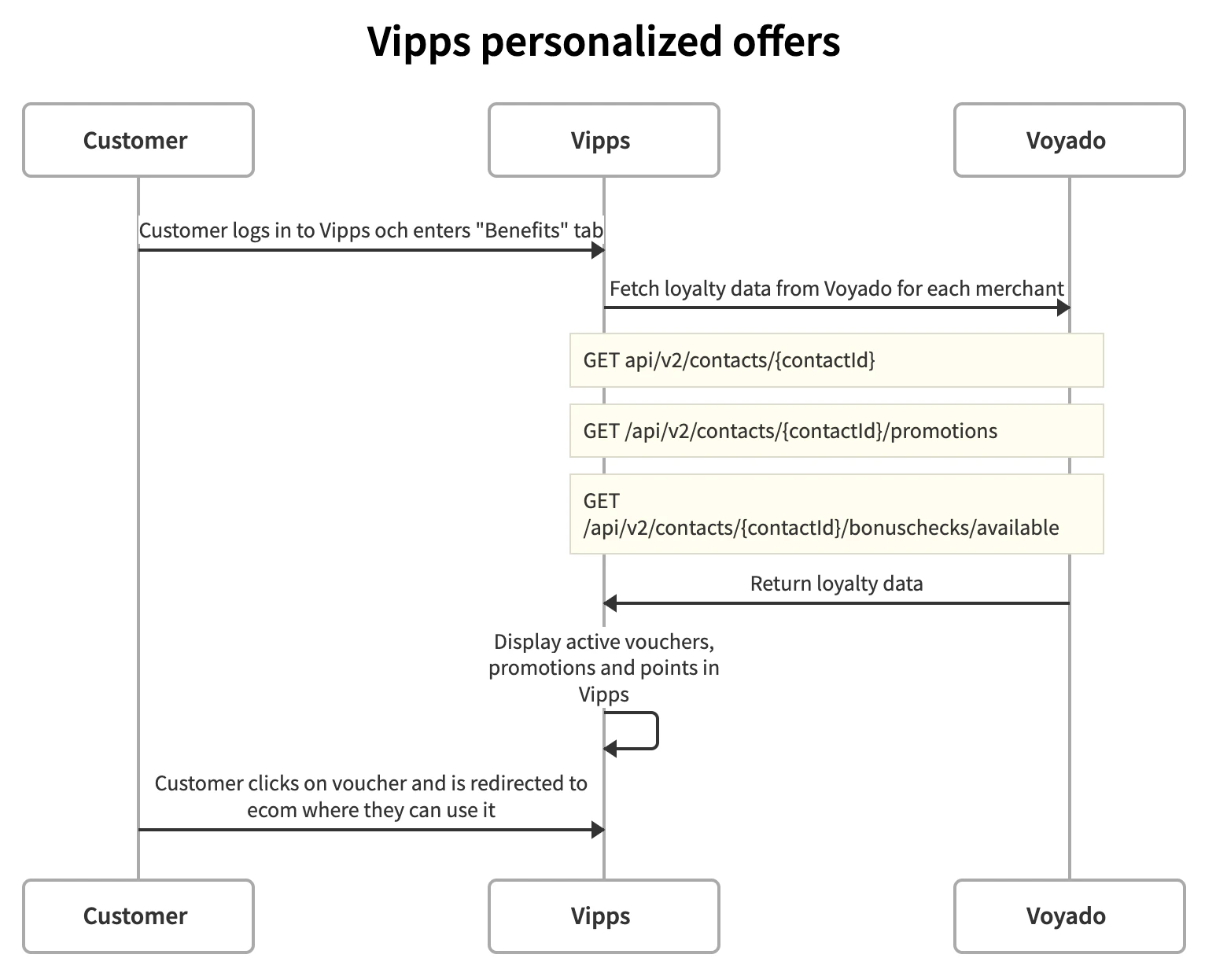 The full contact data is then fetched from Engage with:
```http Fetch contact data theme={null}
GET api/v2/contacts/{contactId}
```
The contact's promotions are fetched using:
```http Fetch promotions theme={null}
GET /api/v2/contacts/{contactId}/promotions
```
And the available vouchers (bonus checks) are fetched with:
```http Fetch vouchers theme={null}
GET /api/v2/contacts/{contactId}/bonuschecks/available
```
## Creating a contact
If the customer in the Vipps app does not exist in Engage, they will be created there.
The creation flow looks like this:
The full contact data is then fetched from Engage with:
```http Fetch contact data theme={null}
GET api/v2/contacts/{contactId}
```
The contact's promotions are fetched using:
```http Fetch promotions theme={null}
GET /api/v2/contacts/{contactId}/promotions
```
And the available vouchers (bonus checks) are fetched with:
```http Fetch vouchers theme={null}
GET /api/v2/contacts/{contactId}/bonuschecks/available
```
## Creating a contact
If the customer in the Vipps app does not exist in Engage, they will be created there.
The creation flow looks like this:
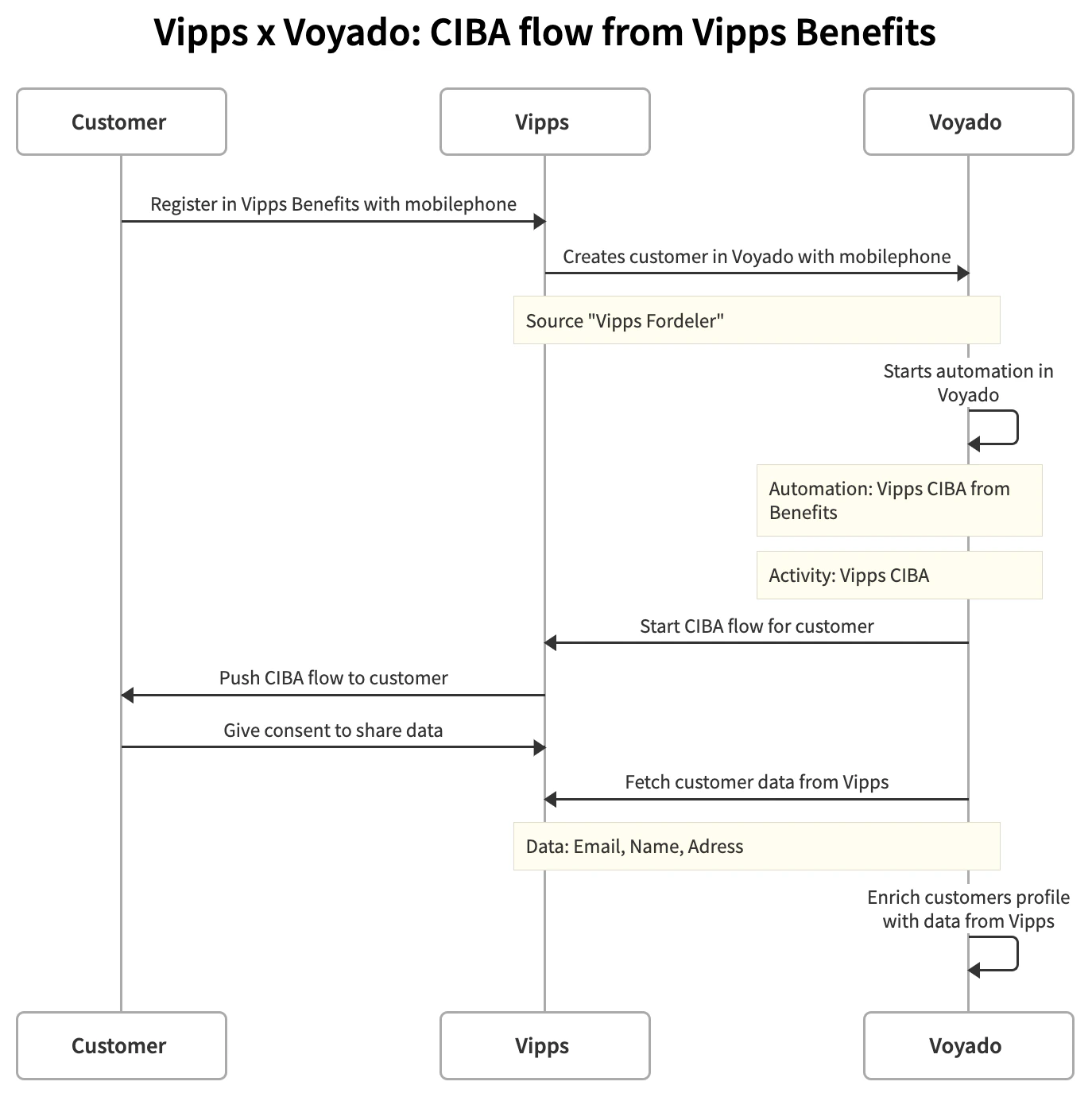 *CIBA = Client Initiated Backchannel Authentication*
## Onboarding automation flow
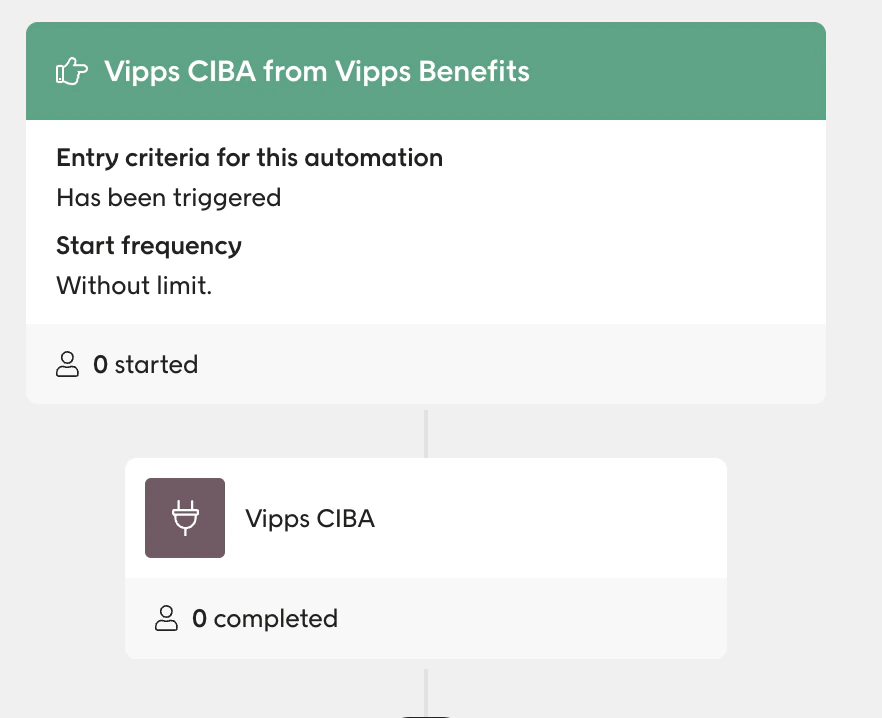
The automation in Engage (triggered by a middle layer using an iPaas) is built up like this:
1. Create an automation with the trigger "Vipps CIBA from Vipps Benefits".
2. Press the "+" button to add an Activity called "Vipps CIBA".
This automation will now be triggered by the middle layer when a customer is created from Vipps Benefits.
*CIBA = Client Initiated Backchannel Authentication*
## Onboarding automation flow
The automation in Engage (triggered by a middle layer using an iPaas) is built up like this:
1. Create an automation with the trigger "Vipps CIBA from Vipps Benefits".
2. Press the "+" button to add an Activity called "Vipps CIBA".
This automation will now be triggered by the middle layer when a customer is created from Vipps Benefits.