> ## Documentation Index
> Fetch the complete documentation index at: https://partner-integrations.voyado.com/llms.txt
> Use this file to discover all available pages before exploring further.
# Sync of email marketing preferences
Email marketing preferences can be synchronized in two different ways between Engage and Shopify, depending on how the integration is configured:
**Webhook disabled**: Preferences are only synced via order events
**Webhook enabled**: Preferences synced continuously based on updates in both systems
In the sections below you'll see how each configuration affects data behavior.
## 1: When webhook is disabled
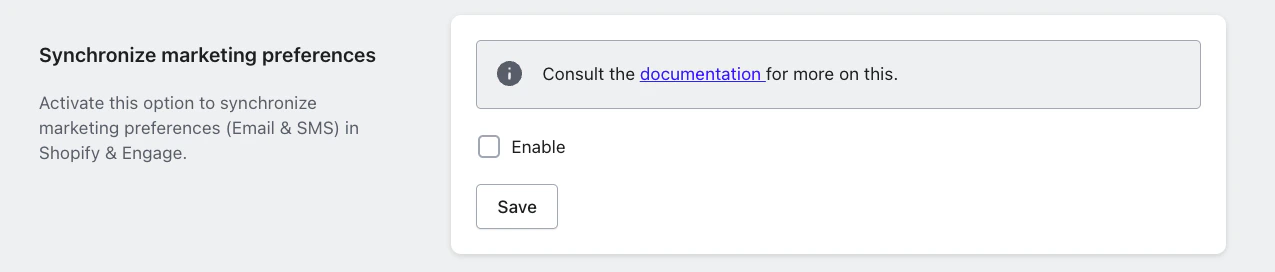 If the marketing preference webhook in Engage is **not enabled** in the app configuration, email marketing preferences are only synced when the **order/create payload** comes from Shopify, such as when an order is placed. No real-time sync occurs outside of order events.
There are three cases to consider here:
When:
* A customer does not exist in Engage
* And they place an order in Shopify
Then:
* A contact will be automatically created in Engage
* The `acceptsEmail` value will be set to the marketing preference value in the Shopify order
When:
* A customer with marketing preference of "true" places an order in Shopify
* And they already exists in Engage with `acceptsEmail` = "false"
Then:
* The `acceptsEmail` value will be updated to "true" in Engage
When:
* A customer with marketing preference of "false" places an order in Shopify
* And they already exists in Engage with `acceptsEmail` = "true"
Then:
* The `acceptsEmail` field is omitted in the update payload
* The value in Engage remains "true" (meaning that no downgrade occurs)
So when the webhook is disabled, we will **not** automatically overwrite a positive opt-in with a negative value coming from an order.
## 2: When webhook is enabled
If the marketing preference webhook in Engage is **not enabled** in the app configuration, email marketing preferences are only synced when the **order/create payload** comes from Shopify, such as when an order is placed. No real-time sync occurs outside of order events.
There are three cases to consider here:
When:
* A customer does not exist in Engage
* And they place an order in Shopify
Then:
* A contact will be automatically created in Engage
* The `acceptsEmail` value will be set to the marketing preference value in the Shopify order
When:
* A customer with marketing preference of "true" places an order in Shopify
* And they already exists in Engage with `acceptsEmail` = "false"
Then:
* The `acceptsEmail` value will be updated to "true" in Engage
When:
* A customer with marketing preference of "false" places an order in Shopify
* And they already exists in Engage with `acceptsEmail` = "true"
Then:
* The `acceptsEmail` field is omitted in the update payload
* The value in Engage remains "true" (meaning that no downgrade occurs)
So when the webhook is disabled, we will **not** automatically overwrite a positive opt-in with a negative value coming from an order.
## 2: When webhook is enabled
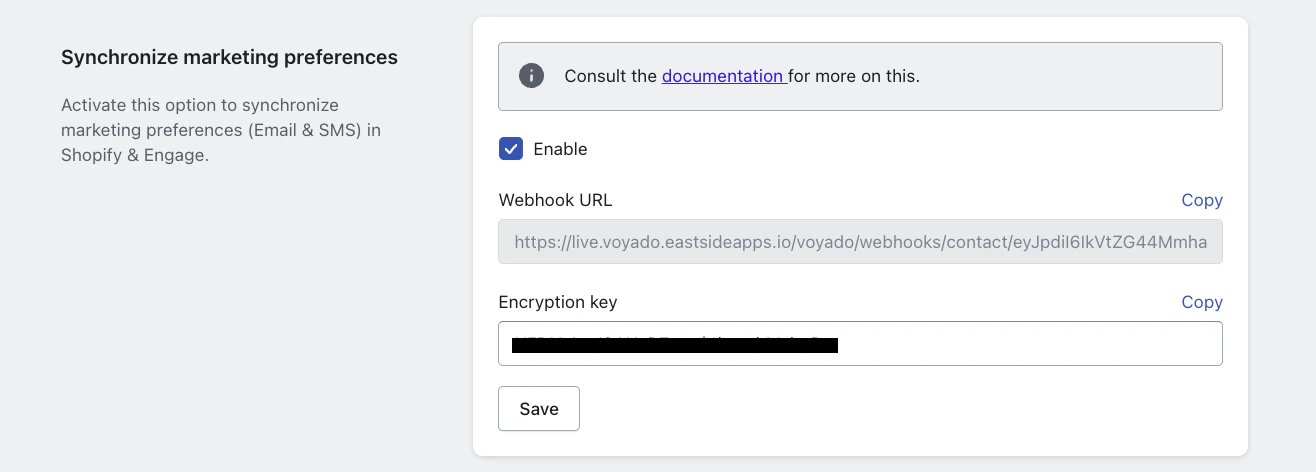 If the Engage marketing preference webhook is enabled:
* We listen to all email marketing preference updates
* Changes are synchronized more dynamically between systems
* Preference updates can override existing values depending on the event type
When:
* The customer creates a new Shopify account with email marketing preference set to "false"
* A contact already exists in Engage, having been created via another system, with `acceptsEmail` = "true"
Then:
* We omit the `acceptsEmail` field when updating the contact in Engage
* This means the `acceptsEmail` value will remain "true"
So we do not automatically downgrade `acceptsEmail` during contact creation when marketing preference is "false".
When:
* In Shopify the marketing preference is "false"
* In Engage the `acceptsEmail` value is "true"
* The customer updates billing information in Shopify
Then:
* The update payload from Shopify will includes the marketing preference value ("false")
* This will override the value in Engage so that `acceptsEmail` will now be "false"
Because of this behavior, it is critical during onboarding to ensure that email marketing preferences are fully aligned between Shopify and Engage before going live.
So when the webhook is enabled:
* We listen to all email marketing preference updates
* Changes made in Shopify will update Engage
* Changes made in Engage can be synchronized back to Shopify (if configured)
## Important exception
We always override an `acceptsEmail` value of "true" in Engage *except* when we receive the **customer create webhook** from Shopify with an email marketing preference value of "false" in the payload.
In other words, a marketing preference value of "false" at customer creation will not downgrade an existing "true" value of `acceptsEmail` in Engage.
## Pre-selected opt-in setting
Voyado does **not** recommend enabling support for **pre-selected opt-in** in the Shopify app setup (or relying on Shopify's pre-selected opt-in behavior).
If the Engage marketing preference webhook is enabled:
* We listen to all email marketing preference updates
* Changes are synchronized more dynamically between systems
* Preference updates can override existing values depending on the event type
When:
* The customer creates a new Shopify account with email marketing preference set to "false"
* A contact already exists in Engage, having been created via another system, with `acceptsEmail` = "true"
Then:
* We omit the `acceptsEmail` field when updating the contact in Engage
* This means the `acceptsEmail` value will remain "true"
So we do not automatically downgrade `acceptsEmail` during contact creation when marketing preference is "false".
When:
* In Shopify the marketing preference is "false"
* In Engage the `acceptsEmail` value is "true"
* The customer updates billing information in Shopify
Then:
* The update payload from Shopify will includes the marketing preference value ("false")
* This will override the value in Engage so that `acceptsEmail` will now be "false"
Because of this behavior, it is critical during onboarding to ensure that email marketing preferences are fully aligned between Shopify and Engage before going live.
So when the webhook is enabled:
* We listen to all email marketing preference updates
* Changes made in Shopify will update Engage
* Changes made in Engage can be synchronized back to Shopify (if configured)
## Important exception
We always override an `acceptsEmail` value of "true" in Engage *except* when we receive the **customer create webhook** from Shopify with an email marketing preference value of "false" in the payload.
In other words, a marketing preference value of "false" at customer creation will not downgrade an existing "true" value of `acceptsEmail` in Engage.
## Pre-selected opt-in setting
Voyado does **not** recommend enabling support for **pre-selected opt-in** in the Shopify app setup (or relying on Shopify's pre-selected opt-in behavior).
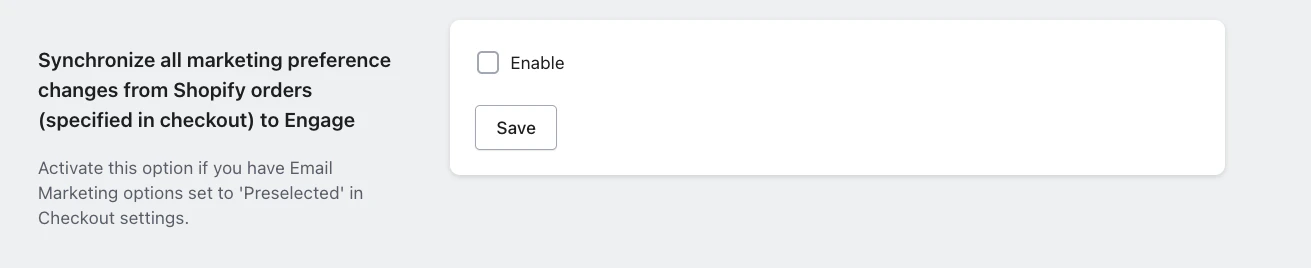 The reason is that in Shopify, once a customer has opted in, they may effectively remain opted in even if they actively deselect the checkbox in a later checkout. This can lead to inconsistent consent states across systems.
For example, a customer can be unsubscribed in Engage based on an order event, but later be set back to opted-in when Shopify sends a customer update (e.g., after billing details are updated).
Shopify's region-based pre-selection adds further complexity and increases the risk of incorrect consent handling.
So do not enable the setting above and be sure to align the consent states between Shopify and Engage before go-live.
## Key recommendations
During onboarding, it is essential to:
* Audit and align all email marketing preferences between systems
* Decide whether the webhook should be enabled based on the desired source of truth
* Clearly define whether Shopify or Engage should control opt-in logic going forward
Misalignment before go-live can result in unintended opt-in overrides.
The reason is that in Shopify, once a customer has opted in, they may effectively remain opted in even if they actively deselect the checkbox in a later checkout. This can lead to inconsistent consent states across systems.
For example, a customer can be unsubscribed in Engage based on an order event, but later be set back to opted-in when Shopify sends a customer update (e.g., after billing details are updated).
Shopify's region-based pre-selection adds further complexity and increases the risk of incorrect consent handling.
So do not enable the setting above and be sure to align the consent states between Shopify and Engage before go-live.
## Key recommendations
During onboarding, it is essential to:
* Audit and align all email marketing preferences between systems
* Decide whether the webhook should be enabled based on the desired source of truth
* Clearly define whether Shopify or Engage should control opt-in logic going forward
Misalignment before go-live can result in unintended opt-in overrides.