

- Become a member of a loyalty club directly in the app
- See available promotions and vouchers for all their loyalty clubs
- Create their account directly in the app
Adding a new loyalty club
Here’s how a customer adds a new loyalty club in the app: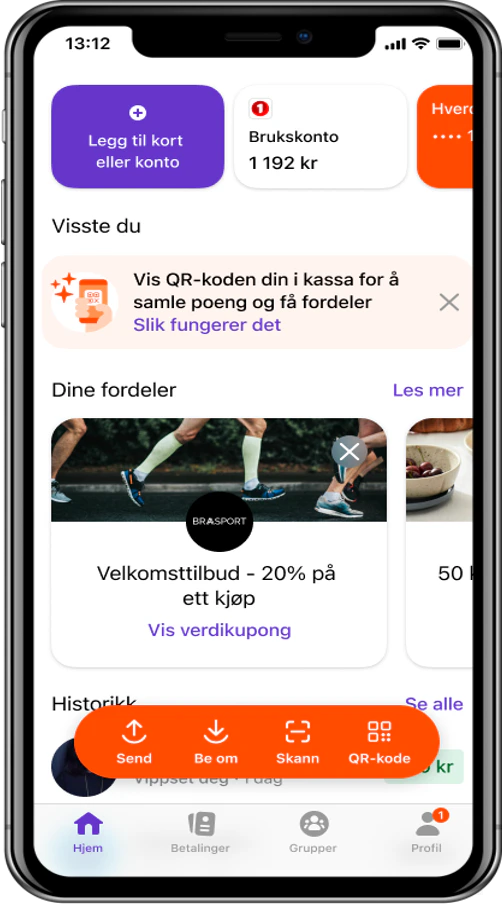
Adding a new loyalty club
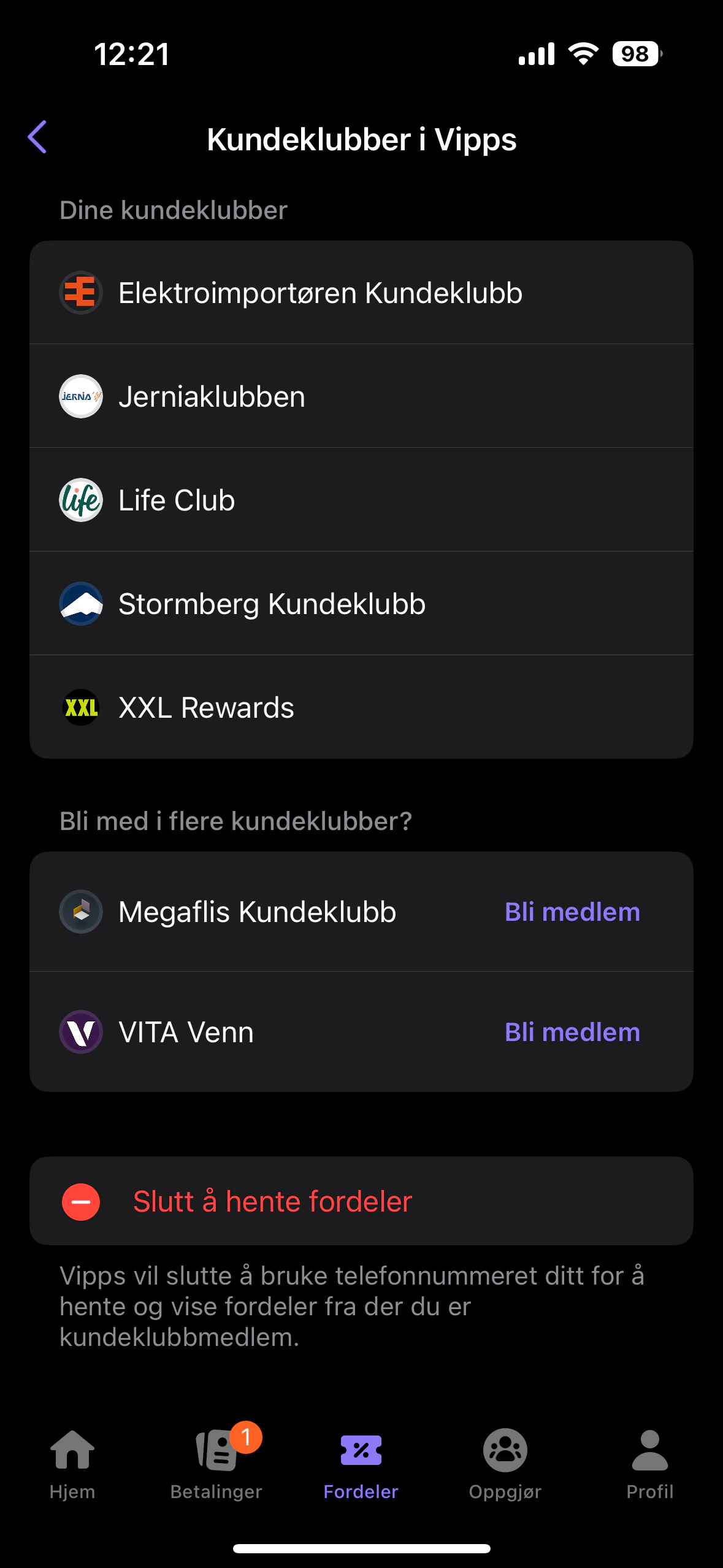
Presentation of loyalty clubs
If contact already exists
If the contact already exists in Engage, loyalty data is fetched from Engage to the Vipps app like this: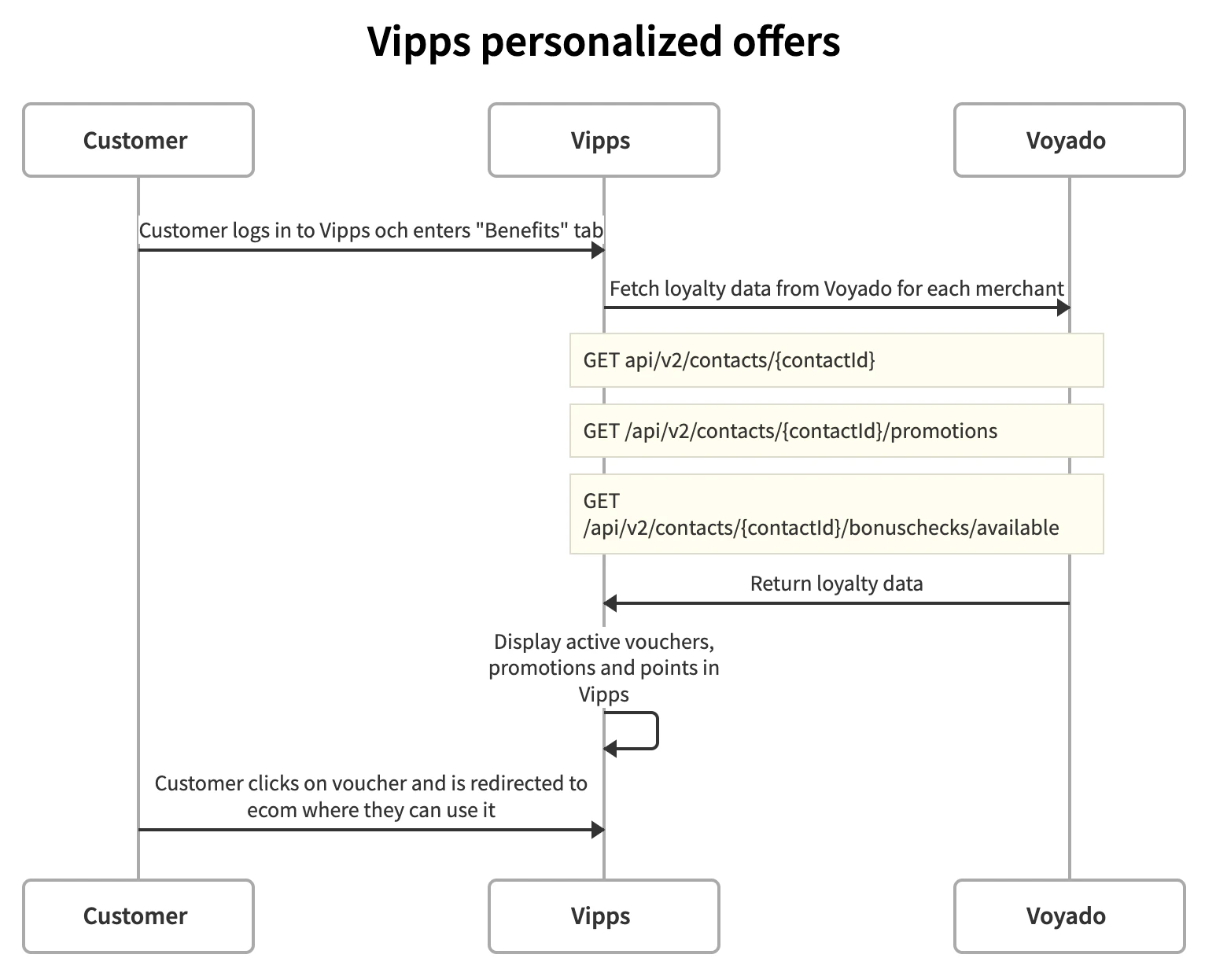
Fetching loyalty data flow
Fetch contact data
Fetch promotions
Fetch vouchers
Creating a contact
If the customer in the Vipps app does not exist in Engage, they will be created there. The creation flow looks like this: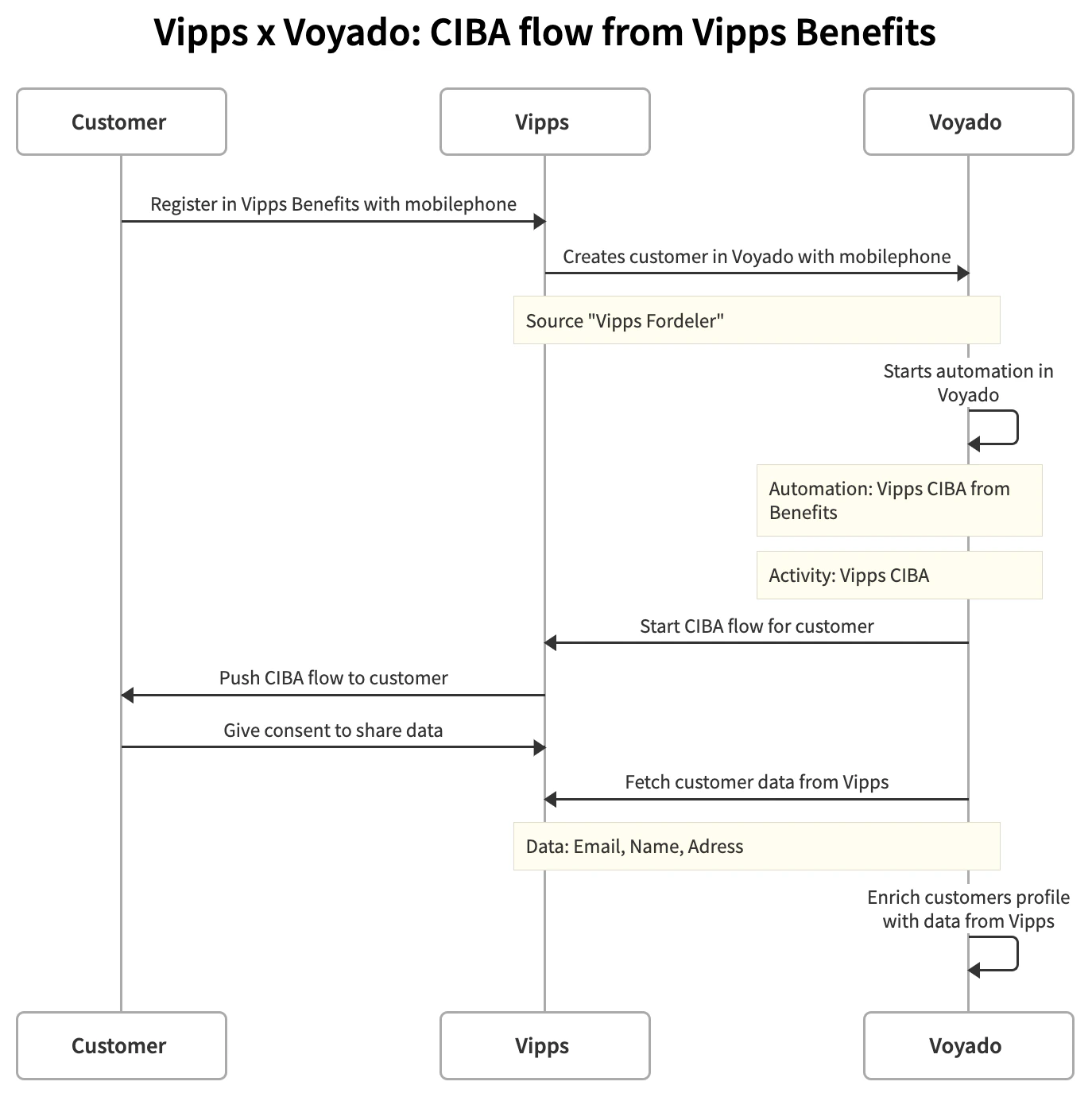
Contact creation flow
Onboarding automation flow
The automation in Engage (triggered by a middle layer using an iPaas) is built up like this:- Create an automation with the trigger “Vipps CIBA from Vipps Benefits”.
- Press the ”+” button to add an Activity called “Vipps CIBA”.
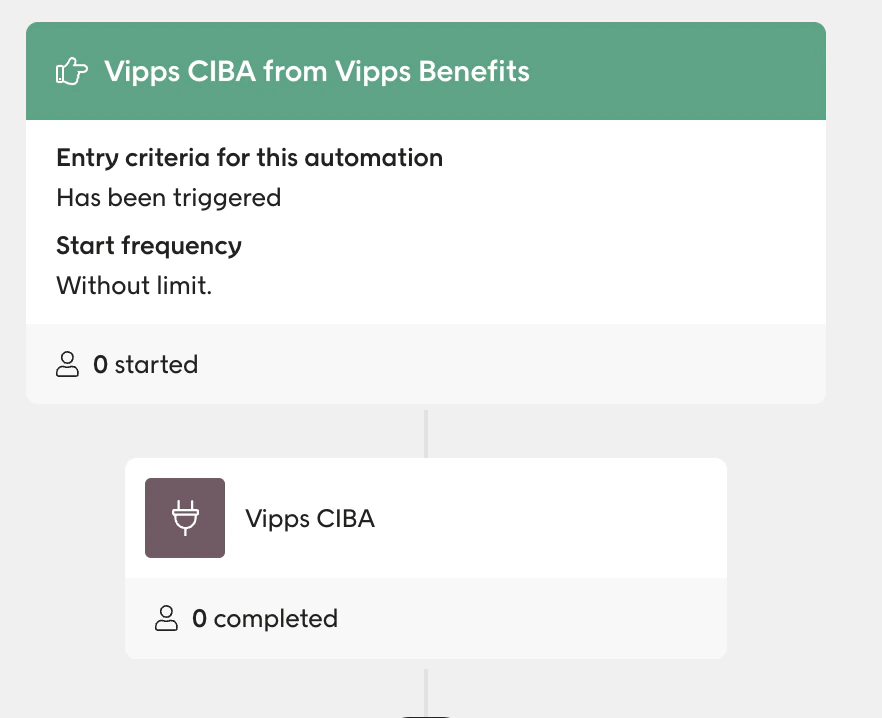
The automation trigger