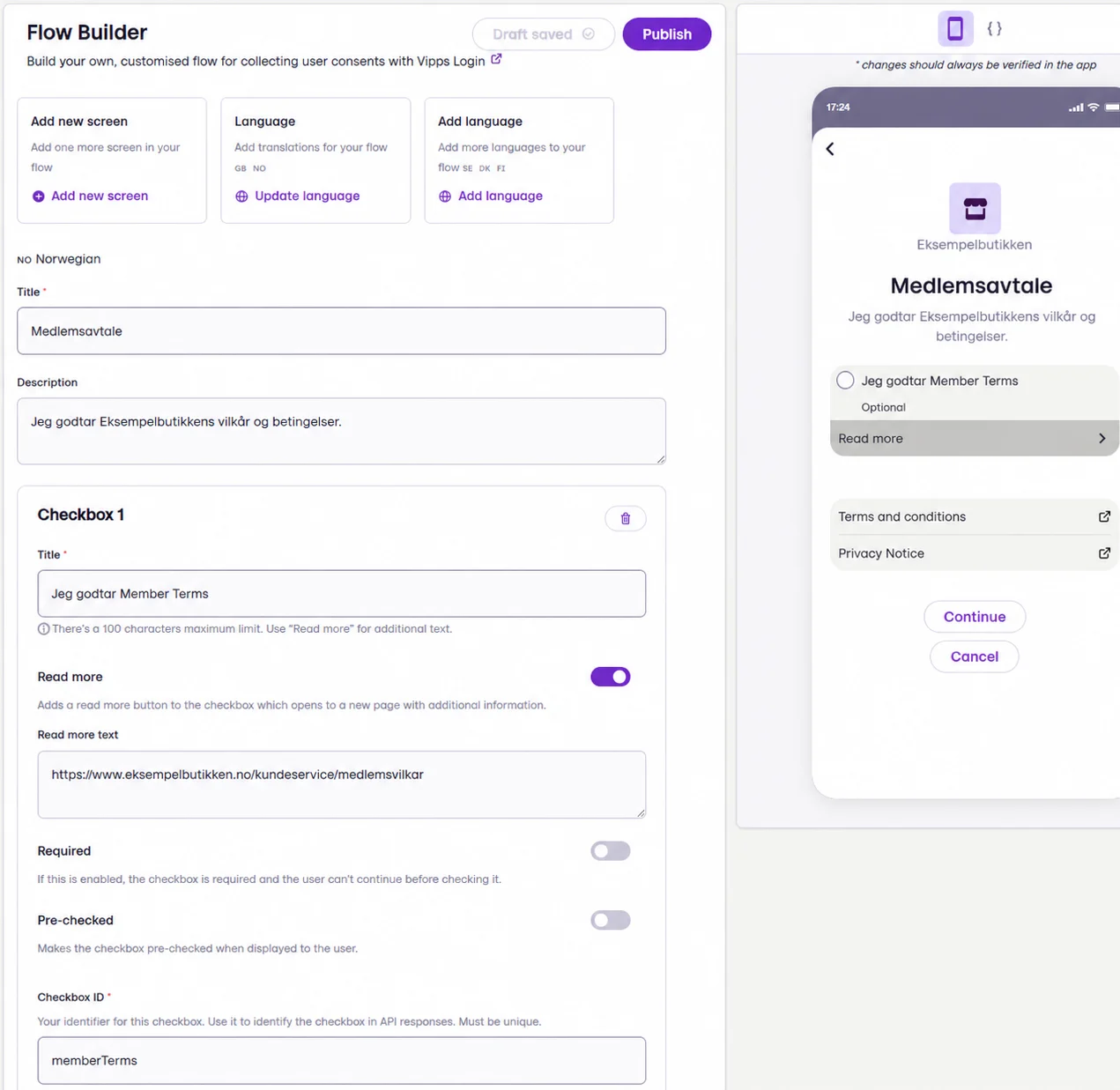
Custom Flow for Login is a Vipps feature that allows you to set up custom screens that will be shown during the Login flow. You can use these screens to collect consents and share important information such as terms and conditions. The information can be presented in form of text, links and checkboxes.
Custom Flow for Login
Custom Flow is configured in Vipps. You can freely choose text and links that you want to be shown. For detailed setup instructions, see here:

How to configure Custom Flow for Login

To be able to save your changes, make sure you have created custom screens in at least two languages: English and Norwegian. For the integration with Engage to work correctly, the Checkbox ID in Vipps must match your consent ID in Engage. In many setups, the consent ID is “memberTerms”. However, this can vary depending on your configuration. Check the consent ID with your Voyado contact to complete the setup.