

1 - Creating account online
Follow these steps:- Send a reset password email from Voyado
- Use a custom activity to create a customer in the e-com
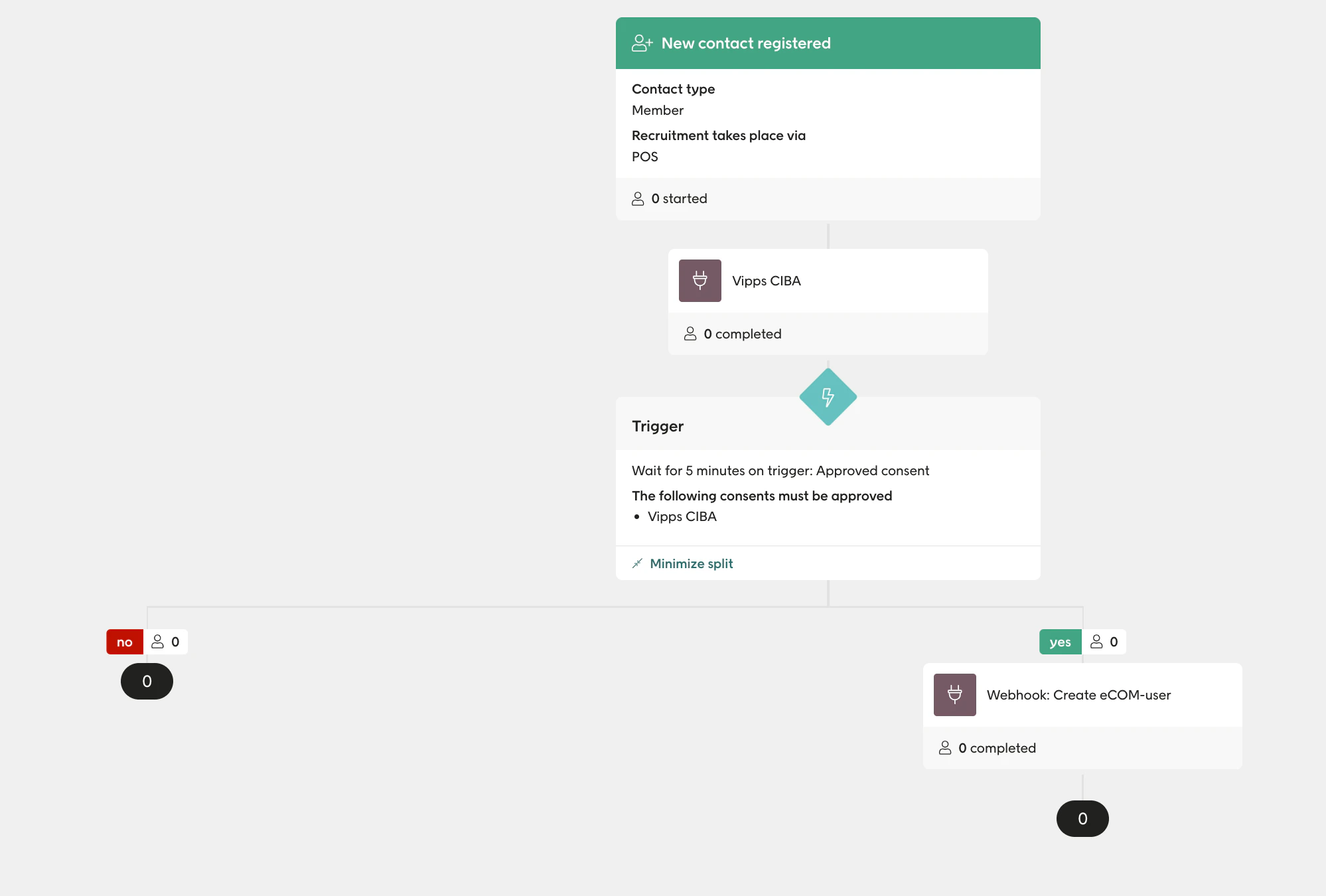
Creating account flow
2 - Welcome flow
The welcome automation flow looks like this: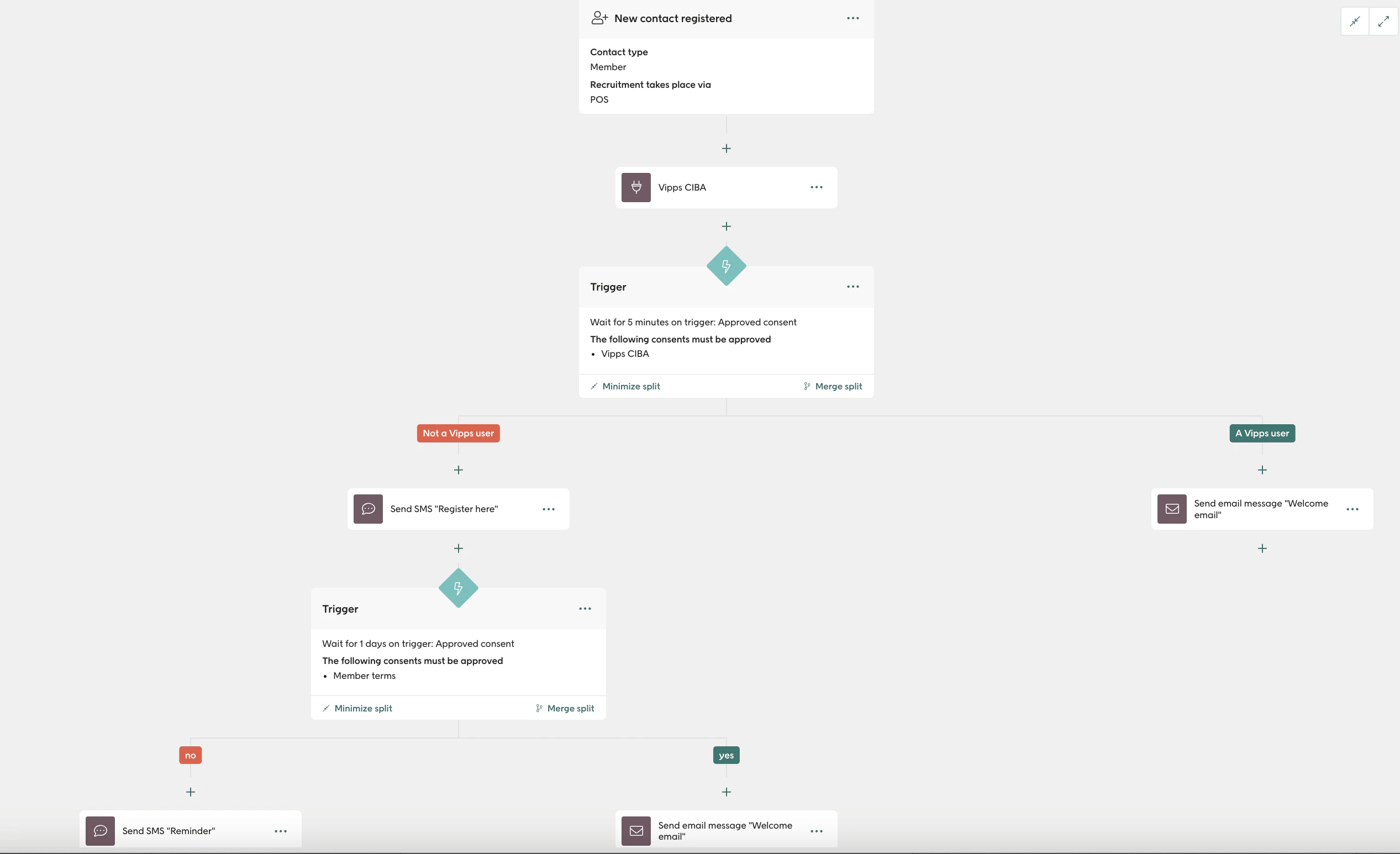
Welcome automation flow
3 - Promotions
Create an automation in Engage that triggers when the consentVippsFordeler is set to true.
When a contact enters this automation, assign a promotion to them. This ensures that new sign-ups will always see a promotion in the app as soon as they give their consent to Vipps Benefits.
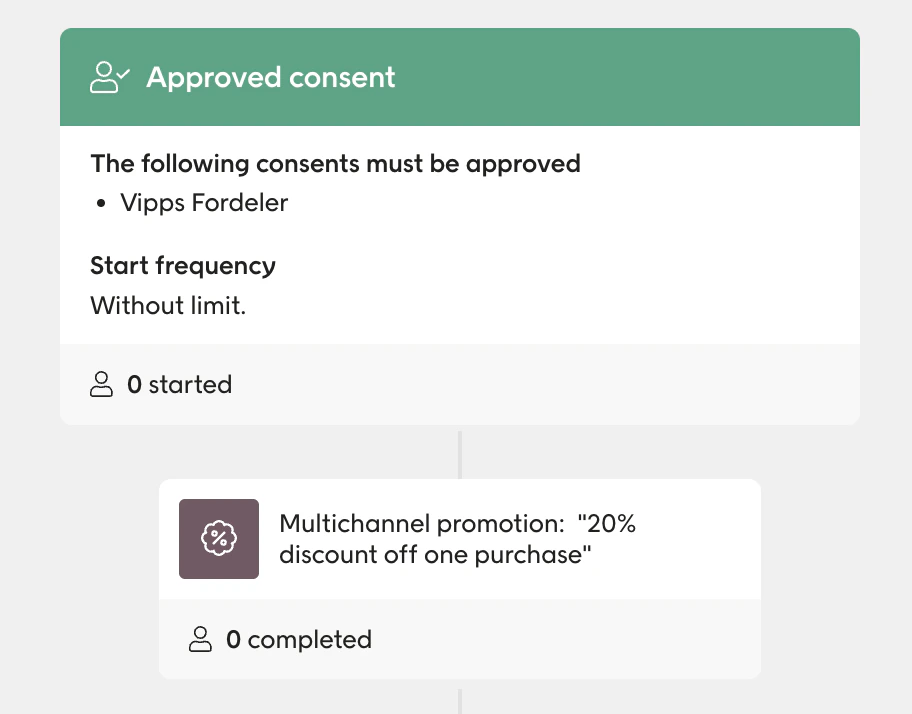
Assigning a promotion
4 - Segmentations
Contacts who have consented to Vipps Benefits: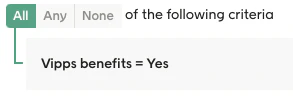
Vipps Benefits consent
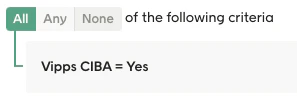
Vipps CIBA consent
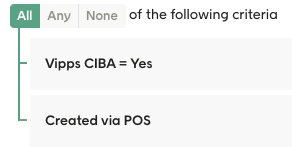
Created from POS
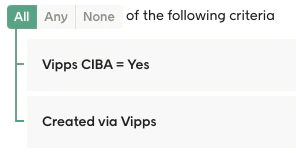
Created from Vipps app
5 - Sign-ups before and after go-live
You can segment for the number of sign-ups you had before going live, and compare that to afterwards. Before go-live: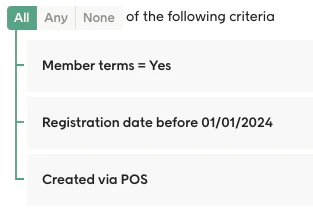
Sign-ups before going live
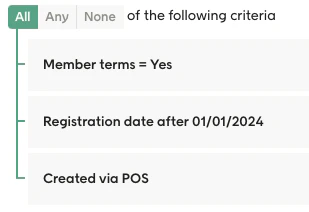
Sign-ups after going live
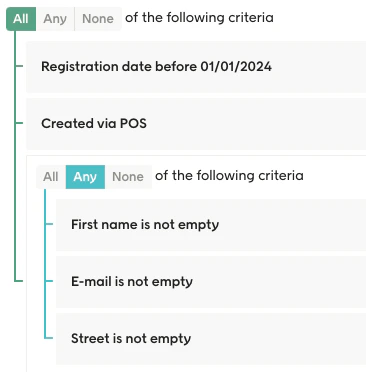
Comparing consents before and after
6 - Redeeming vouchers and promotions
You can examine the redemption of vouchers and promotions and compare the contacts who have Vipps Benefits activated to those who don’t. For those contacts who have Vipps Benefits: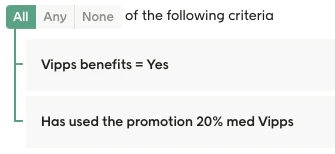
Redemption with Vipps Benefits
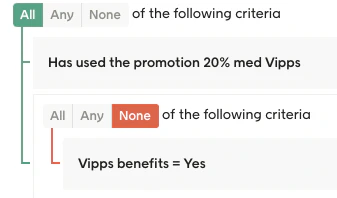
Redemption without Vipps Benefits
7 - Handling non-Vipps users
For non-Vipps users you need to create a new automation and choose Trigger a SMS-flow for non-Vipps users. Select the trigger and create an SMS as the first step.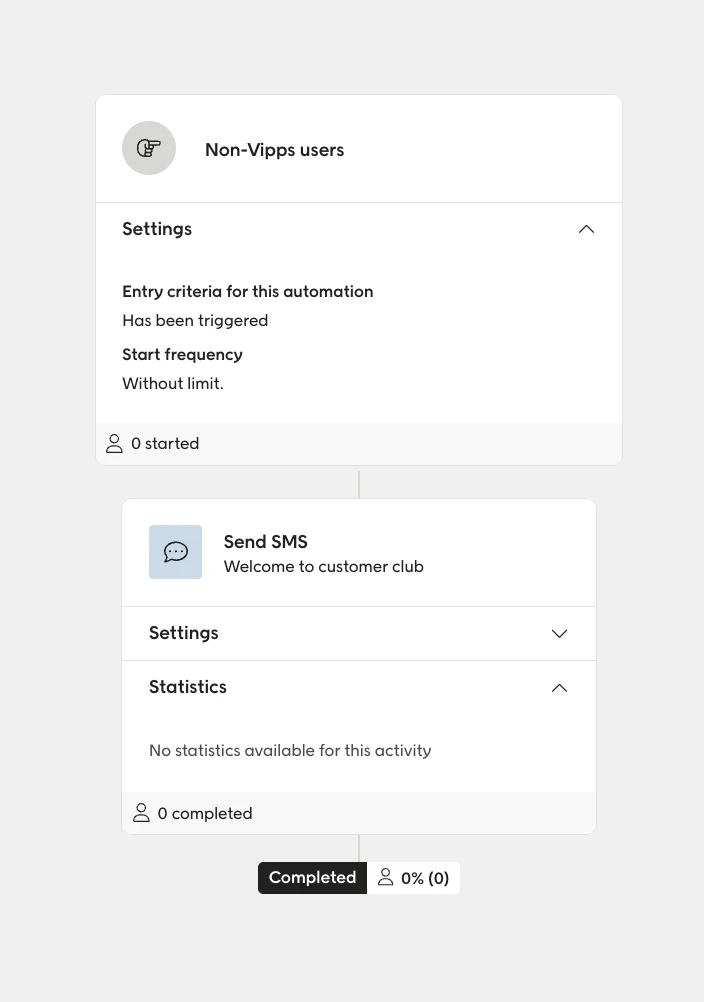
Automation for non-Vipps users